
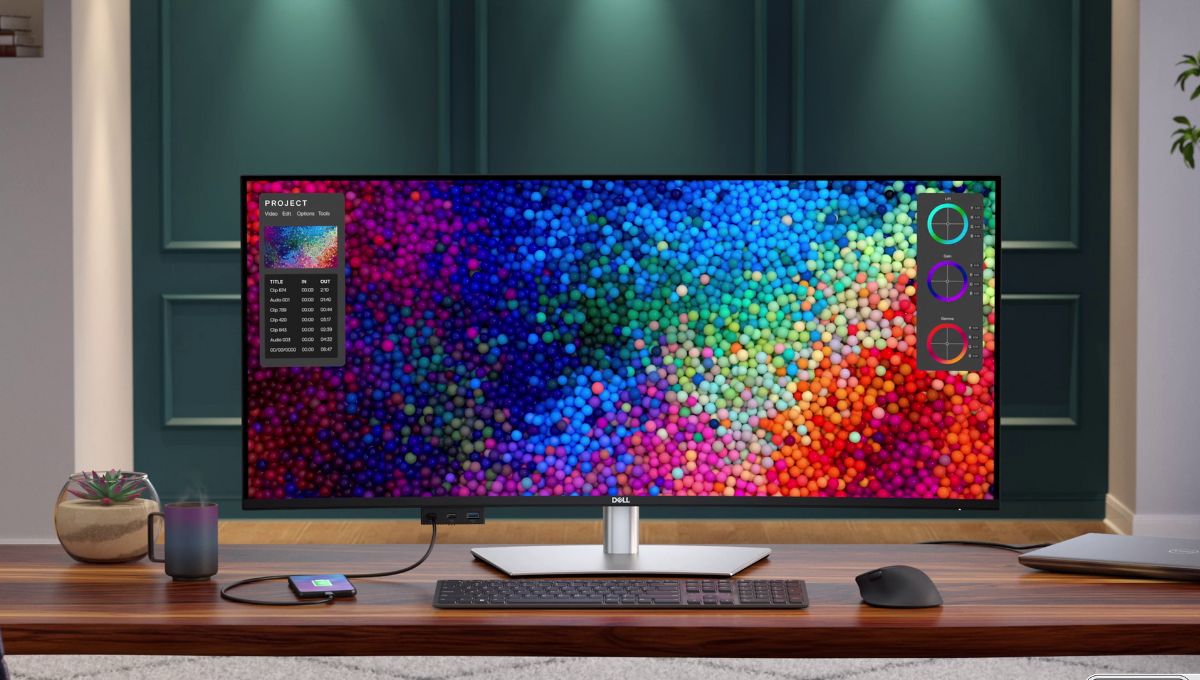
The Dell Hub Monitor – U4025QW is Dell’s premium offering in the UltraSharp lineup, created specifically for professionals who rely on performance, efficiency, and comfort throughout the workday. This monitor is not just about screen size or sharp visuals; it is designed to redefine how a modern workstation functions. By combining a massive curved display with advanced connectivity and thoughtful ergonomics, the U4025QW becomes a central productivity tool rather than a simple output device.
For users who work with multiple applications, large datasets, creative tools, or collaborative workflows, this monitor delivers a noticeable upgrade over standard displays. It is built for those who want a clean desk, fewer cables, and a seamless working experience without compromising on visual quality.
Sleek and Immersive Visual Experience
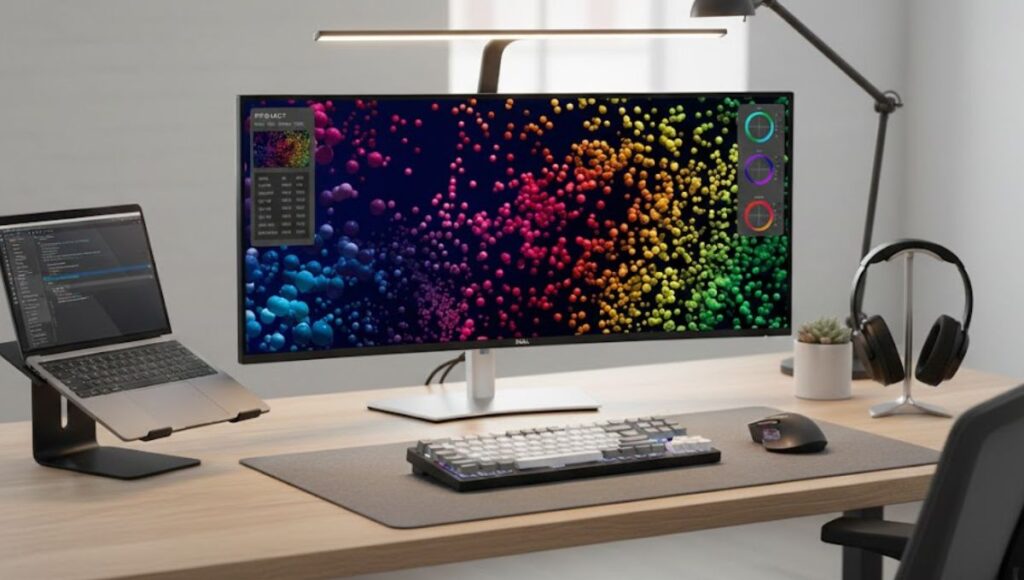
The first thing that stands out about the Hub Monitor – U4025QW is its expansive 39.7-inch curved display. The gentle curvature wraps naturally around your field of vision, making the viewing experience more immersive and comfortable. Unlike flat ultra-wide monitors, the curved design helps reduce eye movement across the screen, which can make a real difference during long working hours.
Read more:- OnePlus 15R and OnePlus Pad Go 2 Explained: Features, Performance, and Value in One Smart Ecosystem
With a resolution of 5120 x 2160, the monitor delivers exceptional clarity and detail. This ultra-wide resolution provides enough screen real estate to replace a dual-monitor setup, allowing users to keep multiple windows open side by side without overlap. Spreadsheets, timelines, dashboards, and editing panels can all coexist on one seamless canvas, improving focus and workflow efficiency.
Dell’s IPS Black panel technology further enhances the visual experience by delivering deeper blacks and higher contrast compared to traditional IPS displays. This results in images that feel richer and more dimensional, which is especially beneficial for photo editing, video production, and content consumption. Colors remain accurate and consistent even when viewed from wide angles, ensuring reliable performance in collaborative environments.
The 120Hz refresh rate adds another layer of smoothness to everyday use. Scrolling through documents, navigating software interfaces, or previewing animations feels fluid and responsive, reducing visual fatigue and making interactions more natural.
Thunderbolt Hub That Boosts Productivity
One of the strongest reasons the Hub Monitor – U4025QW is worth the investment is its integrated Thunderbolt 4 hub. This feature transforms the monitor into a powerful docking station, eliminating the need for separate hubs or adapters. With a single Thunderbolt cable, users can connect their laptop to the monitor while simultaneously charging it, transferring data, and driving the display.
The Thunderbolt connection supports high power delivery, making it suitable for performance laptops used by professionals. In addition to Thunderbolt, the monitor includes a variety of USB Type-A and USB Type-C ports, allowing users to connect keyboards, mice, external storage devices, and other peripherals directly to the monitor.
The inclusion of a 2.5Gb RJ45 Ethernet port is a major advantage for professionals who depend on stable and fast wired internet connections. This is particularly valuable in office setups, studios, and remote work environments where reliability matters. Daisy-chain support through Thunderbolt also allows users to expand their setup with an additional display, maintaining a clean and efficient workspace.
Overall, this level of connectivity significantly simplifies desk setups, reduces cable clutter, and streamlines daily workflows.

Ideal for Work and Collaboration
The Hub Monitor – U4025QW is designed with modern work styles in mind. Its panoramic screen and high pixel density make it ideal for professionals who juggle multiple tasks at once. Designers can work on large canvases, video editors can manage complex timelines, and analysts can view extensive data sets without constant window switching.
Support for HDR content enhances visual depth, while peak brightness of up to 600 nits ensures the screen remains vivid even in well-lit environments. Text remains crisp, visuals stay punchy, and details are easy to distinguish, making the monitor suitable for both creative and business-focused tasks.
The wide viewing angles and accurate color reproduction also make the monitor effective for collaboration. Whether reviewing designs with a colleague or presenting information during meetings, the display maintains consistency and clarity from different perspectives.
Comfort Features That Matter
Productivity is closely tied to comfort, especially during long working hours. Dell has equipped the U4025QW with comprehensive ergonomic adjustments, including height, tilt, and swivel controls. These adjustments allow users to position the monitor in a way that supports good posture and reduces physical strain.
An anti-glare coating minimizes reflections from ambient light, helping maintain visibility throughout the day. ComfortView Plus technology reduces harmful blue light emissions without distorting colors, which helps protect eye health during extended use. Ambient light sensing further enhances comfort by automatically adjusting screen brightness based on surrounding conditions.
These features work together to create a viewing experience that is not only productive but also sustainable over long periods.
The Hub Monitor – U4025QW stands out as a premium investment for professionals who value performance, efficiency, and comfort. Its immersive curved display, ultra-wide resolution, IPS Black technology, and 120Hz refresh rate deliver an outstanding visual experience. At the same time, the integrated Thunderbolt hub, rich connectivity options, and ergonomic design make it a true productivity centerpiece.
For users seeking a monitor that simplifies workflows, enhances multitasking, and supports long hours of focused work, the Dell UltraSharp Hub Monitor – U4025QW proves itself as a smart and future-ready choice.
FAQs
What ports are available on this monitor?
The Hub Monitor – U4025QW offers Thunderbolt 4, USB-C, USB-A, HDMI 2.1, DisplayPort 1.4, audio out, and a 2.5Gb Ethernet port.
Does the monitor support HDR?
Yes, it supports HDR with high peak brightness for deeper contrast and dynamic visuals.
Is it good for video editing and creative work?
Absolutely. Its wide color coverage and high resolution make it ideal for editing and design tasks.