
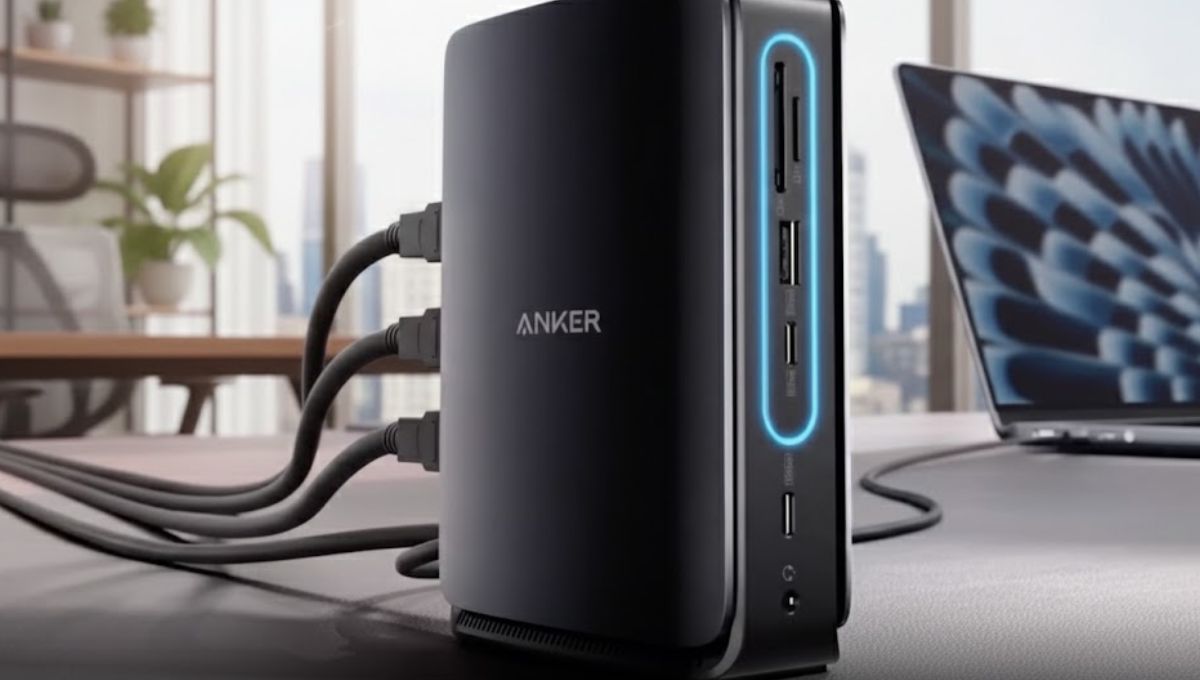
As laptops become slimmer and ports disappear, docking stations have shifted from optional accessories to essential productivity tools. Professionals, creators, and remote workers increasingly rely on a single hub to manage displays, storage, charging, and peripherals. This is where the Anker Nano Docking Station positions itself as a smart, space-saving solution designed for modern workflows.
Known for its reputation in charging and connectivity products, Anker brings its experience to the Nano Docking Station with a focus on efficiency, reliability, and thoughtful design. After evaluating its real-world usability, build quality, and feature set, it becomes clear why this compact dock appeals to users who want performance without clutter.
Design Philosophy: Small Footprint, Serious Capability
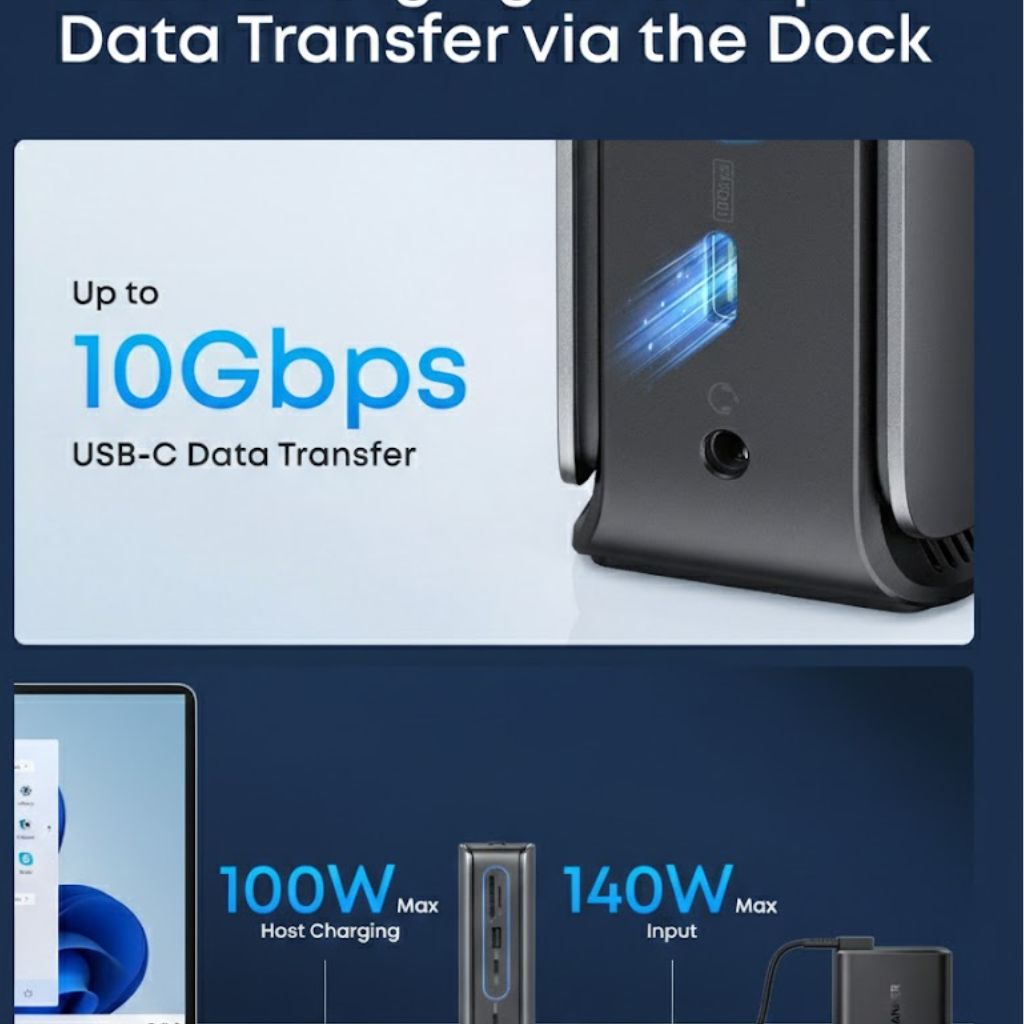
The first thing users notice about the Anker Nano Docking Station is its minimalist design. Unlike bulky desktop docks, this model embraces portability while maintaining a premium feel. Its compact chassis fits easily into a laptop bag or desk setup without dominating space.
The housing feels sturdy and well-constructed, reflecting Anker’s emphasis on durability. Heat management is handled efficiently, even during extended use with multiple connected devices. This balance between size and strength makes it especially attractive for hybrid workers who move between home and office setups.
Port Selection: Built for Versatility
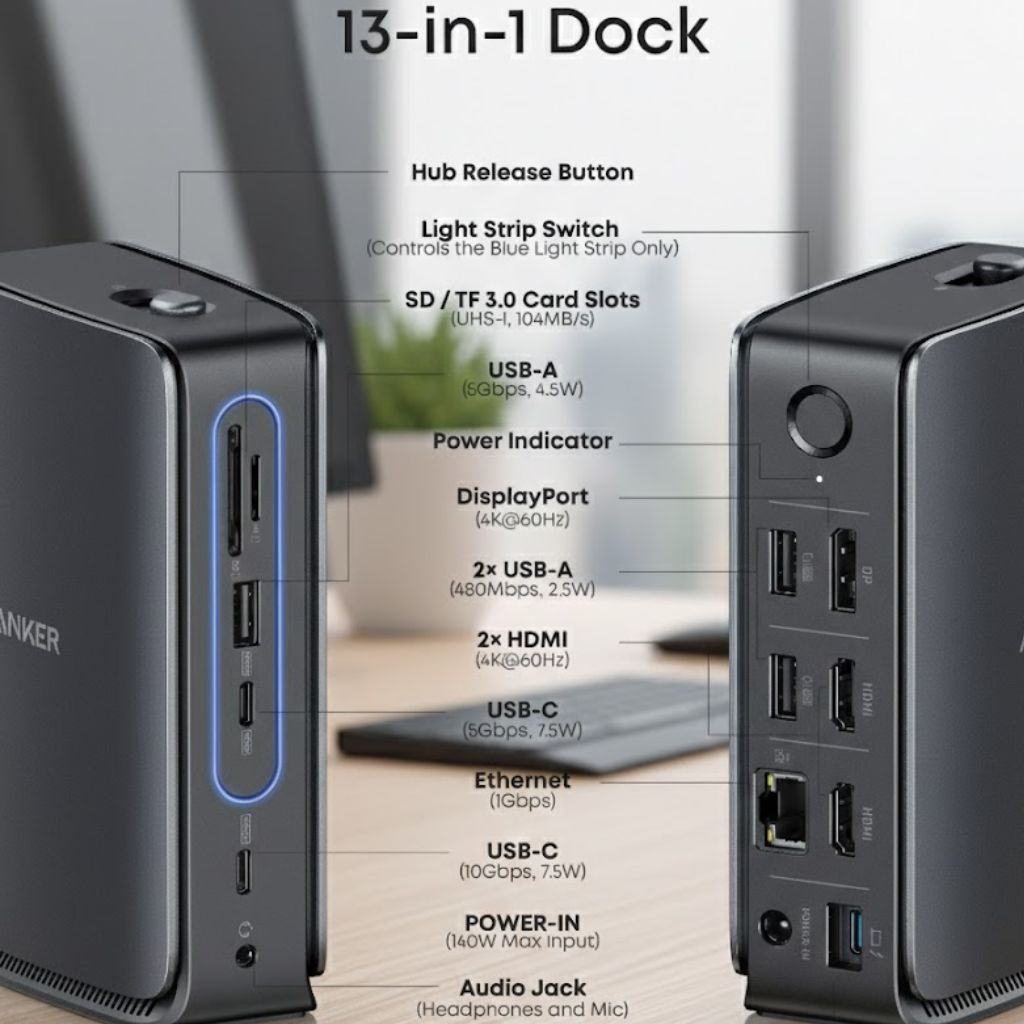
A docking station is only as good as its ports, and this is where the Anker Nano Docking Station truly shines. It offers a broad selection of connectivity options designed to replace the missing ports on modern laptops.
Users can connect external monitors, high-speed storage drives, wired internet, keyboards, mice, and other accessories simultaneously. The thoughtful port layout reduces cable clutter and allows easy access, even in tight desk environments.
For professionals who rely on multiple peripherals, this dock eliminates the constant plugging and unplugging that slows down workflows.
Read more:- Is the Latitude 7350 Laptop the Smartest Choice for Modern Work in 2026?
Display Support: A Productivity Multiplier
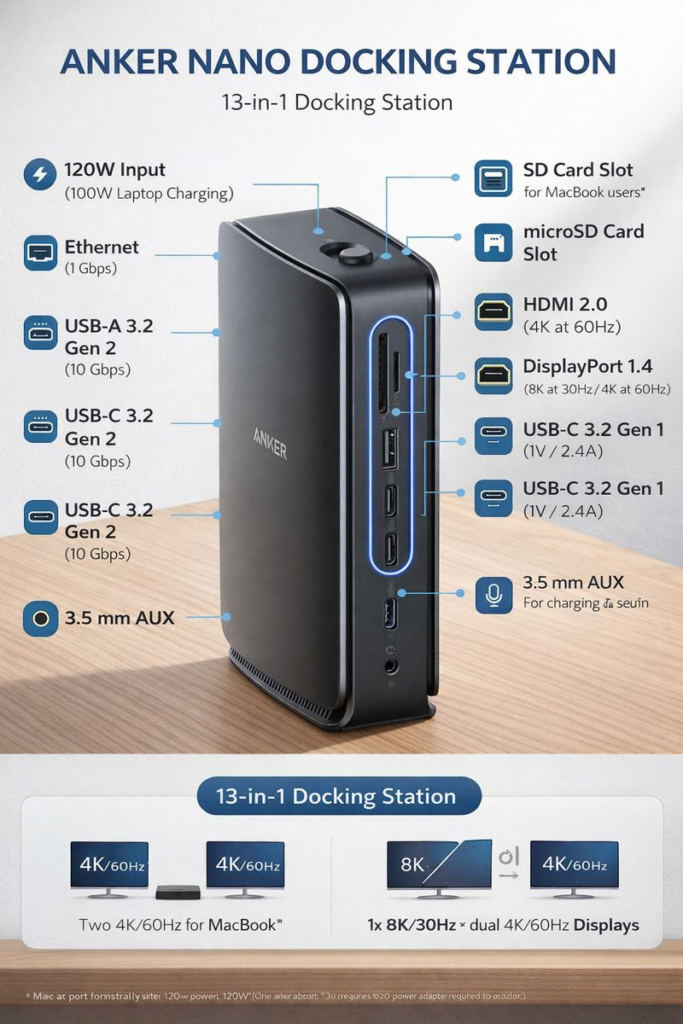
External display support is a key requirement for most docking station buyers. The Anker Nano Docking Station handles this confidently, allowing users to expand their screen real estate for multitasking, content creation, or data analysis.
Whether you are managing spreadsheets, editing photos, or running presentations, the dock ensures stable output with sharp visuals and smooth performance. The experience feels reliable rather than experimental, which is critical for business users who cannot afford display interruptions.
Charging and Power Delivery: One Cable Convenience
One of the strongest advantages of the Anker Nano Docking Station is its ability to simplify power management. Support for laptop charging through a single cable, it reduces desk clutter and eliminates the need for separate power adapters.
This feature is especially valuable for users who dock and undock their laptops frequently. Connecting one cable instantly powers the device while activating all peripherals, creating a seamless transition between mobile and desktop use.
Anker’s long-standing expertise in charging technology is evident here, as power delivery remains consistent and dependable throughout daily use.
Real-World Performance: Stable and Consistent
In day-to-day usage, the Anker Nano Docking Station performs exactly as expected from a premium brand. Data transfers feel fast and reliable, peripheral connections remain stable, and network performance through the Ethernet port is solid.
There are no unnecessary software installations required, which adds to the user-friendly experience. The dock works out of the box with compatible systems, reinforcing its role as a practical productivity tool rather than a complicated tech accessory.
Who Should Buy the Anker Nano Docking Station?
This docking station is best suited for:
- Remote professionals seeking a clean, efficient desk setup
- Students using ultraportable laptops with limited ports
- Creators who need external displays and fast storage access
- Business users who value reliability over flashy features
It may not replace large, power-hungry workstation docks, but for most users, it offers more than enough capability in a much smaller package.
Trust and Brand Reliability
Anker has built a strong reputation through consistent product quality and customer satisfaction. The Nano Docking Station reflects this legacy by focusing on real user needs rather than unnecessary gimmicks. Its design, performance, and reliability contribute to a high level of trust, which is an essential component of long-term usability.
The Anker Nano Docking Station delivers an impressive balance of compact design, versatile connectivity, and dependable performance. It simplifies modern laptop setups while maintaining the quality standards professionals expect.
For users seeking a reliable docking solution that enhances productivity without overwhelming their workspace, this dock stands out as a practical and well-engineered choice.
FAQs
Can I charge my laptop while using the docking station?
Yes, the dock supports power delivery, allowing your laptop to charge while connected.
Does it support multiple external monitors?
It supports external display expansion, though the exact configuration depends on your laptop’s capabilities.
Is the docking station suitable for travel?
Absolutely. Its compact size and lightweight design make it ideal for travel and mobile work setups.